























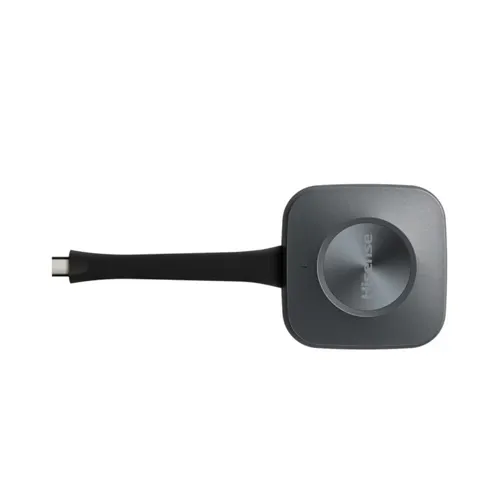
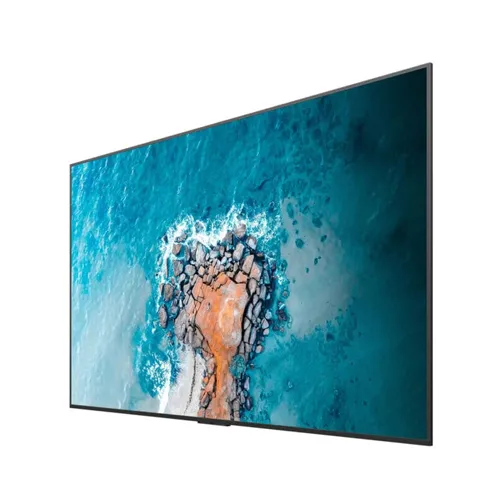


ดองเกิลส่งสัญญาณหน้าจอแบบไร้สาย ยี่ห้อ Hisense รุ่น HT007E
อุปกรณ์ส่งสัญญาณแบบไร้สาย HISENSE HT007E ที่ช่วยให้การประชุมและการนำเสนอของคุณง่ายขึ้นกว่าเดิม ความคมชัดระดับ 4K UHD ด้วยเทคโนโลยีที่ทันสมัยและใช้งานง่าย ทำให้สามารถแชร์หน้าจอจากคอมพิวเตอร์ไปยังจอแสดงผลขนาดใหญ่ได้โดยไม่ต้องใช้สายให้ยุ่งยาก เชื่อมต่อผ่าน USB Type-C
คุณสมบัติ HT007E
- รองรับการส่งสัญญาณที่ความละเอียด 4K UHD เพื่อการแชร์หน้าจอที่คมชัด
- การเชื่อมต่อที่รวดเร็วภายใน 3 วินาที
- มีการซิงโครไนซ์แบบเรียลไทม์สำหรับการเล่นวิดีโอ 4K และการสตรีมเนื้อหา ทำให้ภาพไม่กระตุก
- ใช้งานง่าย เพียงแค่เชื่อมต่อและกดปุ่มเดียว
- รองรับการใช้งานกับระบบปฏิบัติการ Windows และ Mac
Specifications
| Category | Specification | Details |
|---|---|---|
| Model | Product Name | HISENSE HT007E |
| Product Type | Wireless Screen Transmission Dongle | |
| SKU | HT007E | |
| Color | Matte Black | |
| Brand Logo | Hisense | |
| Video Transmission | Resolution | 4K UHD (3840×2160) |
| Frame Rate | 30Hz | |
| Video Quality | Lossless transmission | |
| Streaming Type | Real-time wireless casting | |
| Latency | Ultra-low latency | |
| Multi-Screen Support | Up to 9 simultaneous screens | |
| Connectivity | Connector Type | USB Type-C |
| Connection Protocol | DisplayPort over USB-C | |
| Power Supply | 5V (USB Bus-powered) | |
| Working Voltage | 5V | |
| Network Requirement | Network-free operation | |
| Pairing Method | Direct USB-C insertion | |
| System Compatibility | Windows | Windows 10 and above |
| macOS | macOS 10.9 and above | |
| USB-C Requirement | DisplayPort protocol support required | |
| Driver Installation | Plug & Play (no drivers needed) | |
| Software Installation | No additional software required | |
| Compatible Devices | Hisense Interactive Displays | MR6DE Series |
| MR6DE-E Series | ||
| MR61DE-E Series | ||
| Hisense LED All-in-One | HAIO108DE | |
| HAIO136DE | ||
| HAIO163DE | ||
| Device Support | Hisense Conference All-in-one Machines | |
| Performance | Connection Speed | 3 seconds rapid connection |
| Startup Time | 2-3 seconds after insertion | |
| Streaming Stability | Super stable streaming | |
| Memory Function | Remembers previous connections | |
| Auto-Detection | Automatic device recognition | |
| Control Features | Control Button | 1 physical button |
| Button Functions | Start/Stop screen transmission | |
| LED Indicator | Connection status display | |
| LED States | Flashing = Connecting, Solid = Connected | |
| One-Click Operation | Single button press activation | |
| Advanced Features | Touch Interaction | Bidirectional touch control |
| BYOD Support | Bring Your Own Device compatibility | |
| Split Screen | Multiple device display | |
| Full Screen Mode | Automatic full-screen display | |
| Screen Management | Priority-based connection order | |
| Physical Specifications | Form Factor | Compact dongle |
| Weight | Lightweight (exact weight TBD) | |
| Portability | Highly portable | |
| Design | Ergonomic USB-C dongle | |
| Durability | Professional-grade construction | |
| Environmental | Operating Temperature | 0°C to 40°C (32°F to 104°F) |
| Storage Temperature | -10°C to 60°C (14°F to 140°F) | |
| Humidity | 20% to 80% (non-condensing) | |
| Usage Environment | Indoor use | |
| RF & Safety | RF Safety Distance | Minimum 20cm from user |
| FCC Compliance | Part 15 Class A | |
| CE Marking | European conformity | |
| Interference | Must accept any interference received | |
| Emission Standards | Complies with digital device limits | |
| Setup & Installation | Pairing Process | Insert into display USB-C port |
| Pairing Indicator | LED flashing during pairing | |
| Pairing Completion | LED solid when successful | |
| Computer Connection | Insert into computer USB-C port | |
| Ready State | LED solid = ready for transmission | |
| Use Cases | Meeting Rooms | Professional presentations |
| Education | Interactive classroom sessions | |
| Training | Corporate training sessions | |
| Collaboration | Wireless team collaboration | |
| BYOD Environments | Personal device integration | |
| Screen Sharing Features | Display Modes | Full screen, split screen |
| Multi-User | Up to 9 simultaneous users | |
| Screen Priority | First connected gets priority | |
| Touch Feedback | Touch input from display to computer | |
| Real-Time Sync | Synchronized display and interaction | |
| Network Independence | Wi-Fi Requirement | None |
| Ethernet Requirement | None | |
| Network Setup | No network configuration needed | |
| Security | Direct connection, no network exposure | |
| Firewall Issues | None (network-free) | |
| Certifications | FCC | Part 15 compliance |
| CE | European conformity | |
| IC | Industry Canada | |
| RoHS | Environmental compliance | |
| Warranty & Support | Warranty | Standard Hisense warranty |
| Support | Hisense technical support | |
| Documentation | User manual included | |
| Updates | Through compatible displays |
| Resolution | 4K Ultra HD |
|---|---|
| Video I/O | USB Type-C |
| ขนาด | N/A |
| น้ำหนัก | N/A |
HISENSE HT007E: Wireless Screen Sharing Dongle
HISENSE HT007E is a wireless transmitter device that makes your meetings and presentations easier than ever. It provides stunning 4K UHD clarity with a modern, easy-to-use design, allowing you to share your computer screen to a large display without the hassle of cables. It connects via USB Type-C.
Key Features
- Supports 4K UHD resolution for clear screen sharing.
- Fast connection within 3 seconds.
- Real-time synchronization for smooth 4K video playback and content streaming, ensuring a lag-free experience.
- Simple plug-and-play operation—just connect and press a single button.
- Compatible with Windows and Mac operating systems.



Reviews
There are no reviews yet.