





โปรเจคเตอร์ Projector คุณภาพดี ภาพคมชัด สีสวย หลากหลายยี่ห้อ Epson Panasonic Acer Benq ราคาพิเศษ พร้อมติดตั้ง และ บริการหลังการขาย
  • รับข่าวสาร
  • ติดต่อเรา
  • คำถามที่พบบ่อย
siamprojector
Select category
  • Select category
  • TV Signage
    • LG
  • Digital Signage
    • Hikvision 
    • LG
    • Hisense
    • Dahua
    • Samsung
    • BENQ
  • Projector
    • VIVTEK
    • Optoma
    • CASIO
    • NEC
    • Epson
    • Acer
    • Viewsonic
    • BenQ
    • Gygar
    • PANASONIC
  • Interactive
    • Huawei
    • Dahua
    • Vivitek
    • MAXHUB
    • Horion
    • Accessories
      • LG
      • Gygar
      • Hikvision 
      • ViewSonic
      • Horion
      • Hisense
      • MAXHUB
    • Hisense
    • Vertex
    • Hikvision
    • BENQ
    • Razr
    • ViewSonic
    • Panasonic
  • Visualizer
    • ELMO
    • Aver
    • BenQ
    • EPSON
    • Gygar
    • Lumens
    • RAZR
    • VERTEX
  • Screen
    • Gygar
    • RAZR
    • ScreenBoy
    • VERTEX
  • จอ LED
    • Viewsonic
  • Conference
    • Viewsonic
    • Gygar
    • JABRA
    • YAMAHA
    • MAXHUB
    • MINRRAY
    • Yealink
    • Logitech
    • TOA
    • Accessories
      • Yealink
    • Lumens
    • Razr
    • Vertex
  • Projector Lamp
    • NEC
    • PANASONIC
    • Canon
    • EPSON
  • VDO Wall
    • Samsung
    • Hisense
  • Smart TV
    • Toshiba
    • LG
  • จอมอนิเตอร์
    • EIZO
    • ViewSonic
    • Benq
    • Philips
    • Samsung
    • AOC
    • Dell
  • Video Wall
    • LG
    • Hikvision
  • เครื่องขยายเสียง
    • GYGAR 
    • RAZR
    • JBL
  • มิกเซอร์
    • BOSE  
  • POWER MIXER
    • QSC
    • BOSE
  • ไมโครโฟนไร้สาย
    • BOSCH
    • RAZR
    • Electro-Voice
    • SHURE
    • TOA
    • Audio-technica
  • ไมโครโฟน
    • Audio-Technica
    • DBX
    • QSC
    • RAZR  
    • BOSCH
    • Electro-Voice
    • JBL
    • TOA
    • Shure
  • ไมโครประชุมไร้สาย
    • GYGAR
    • SHURE
    • TOA
    • BOSCH
    • RAZR  
    • AUDIO-TECHNICA
  • ไมโครประชุม
    • DIS
    • AUDIO-TECHNICA
    • SHURE
    • GYGAR
    • TOA
    • BOSCH
    • RAZR
  • โทรโข่ง
    • TOA
  • ลำโพง
    • TOA
    • EV
    • Electro-Voice
    • BOSCH
    • JBL
    • RAZR
    • TANNOY
  • ลำโพงคอลัมน์
    • YAMAHA
    • BOSCH
    • EV
    • Electro-Voice
    • JBL
    • TOA
    • TANNOY
    • QSC
    • RAZR
  • ลำโพงสนาม
    • BOSE
  • ลำโพงติดผนัง
    • JBL
    • GYGAR
    • EV
    • Electro-Voice
    • TOA
    • TANNOY
    • QSC
    • RAZR
  • ลำโพงซับวูฟเฟอร์
    • EV
    • Electro-Voice
  • ลำโพงฮอร์น
    • JBL
    • RAZR
    • BOSCH
    • TOA
  • ลำโพงไลน์อะเรย์
    • TOA
    • BOSE
  • ลำโพงเพดาน
    • TANNOY
    • QSC
    • ฺBOSE
    • RAZR
    • JBL
    • BOSCH
    • EV
    • Electro-Voice
    • TOA
  • ตู้ลำโพง
    • Electro-Voice
    • TOA
    • TANNOY
    • BOSE 
    • QSC
    • Turbosound
    • JBL
    • YAMAHA
    • BOSCH
  • Network
    • RAZR
  • CONTROLSPACE
    • BOSE
  • หูฟังมอนิเตอร์
    • BOSE
  • WEBCAM
    • Accessories
      • BOSE
  • Video Capture
    • Blackmagic Design
  • Accessories
    • Hisense
    • ELMO
    • dbx
    • Viewsonic
    • zyxel
    • Soundcraft
    • Benq
      • Hanger
    • YAMAHA
    • Epson
      • Hanger
    • Bosch
    • Razr
      • Podium
      • Projector Lift
      • Hanger
    • MIDAS
    • Vertex
    • Electro-Voice
    • SHURE
    • TANNOY
    • MAXHUB
    • JBL
    • Audio Technica
    • QSC
    • Hi-view
  • accessory
    • BOSE
  • แผ่นฆ่าเชื้อโควิด-19
    • Z-TOUCH
  • Uncategorized
0 Wishlist
0 Compare
0 items ฿0.00
Menu
siamprojector
0 items ฿0.00
Browse Categories
  • Projector

    Projector Epson
    Projector Panasonic
    Projector Gygar
    Projector Acer
    Projector Benq
    Projector Optoma
    projector nec
    projector sony

    สินค้าแนะนำ

    4K550ST
    Compare
    Quick view
    Add to wishlist

    4K550ST

    Projector, Optoma

    In stock

    Read more
    A-80W
    Compare
    Quick view
    Add to wishlist

    A-80W

    Projector, Gygar

    In stock

    Read more
    Gygar A-80WU
    Compare
    Quick view
    Add to wishlist

    A-80WU

    Projector, Gygar

    In stock

    Read more
    Gygar A80
    Compare
    Quick view
    Add to wishlist

    A80

    Projector, Gygar

    In stock

    Read more

    • Interactive
    • จอ LED
    • Visualizer

      Visualizer Vertex
      Visualizer razr
      Visualizer Gygar
      Visualizer Epson
      Visualizer lumens
      Visualizer Benq
      Visualizer aver

      สินค้าแนะนำ

      D-1408T
      Compare
      Quick view
      Add to wishlist

      D-1408T

      Visualizer, VERTEX

      In stock

      Read more
      D-1408TH
      Compare
      Quick view
      Add to wishlist

      D-1408TH

      Visualizer, VERTEX

      In stock

      Read more
      D-1408THW
      Compare
      Quick view
      Add to wishlist

      D-1408THW

      Visualizer, VERTEX

      In stock

      Read more
      EV-530
      Compare
      Quick view
      Add to wishlist

      EV-530

      Visualizer, RAZR

      In stock

      Read more

      • Screen
      • Projector Lamp
      • หน้าแรก
      • โปรเจคเตอร์

        epson-menu

        โปรเจคเตอร์ EPSON

        optoma-menu

        โปรเจคเตอร์ Optoma

        panasonic-menu

        โปรเจคเตอร์ Panasonic

        GYGAR-menu

        โปรเจคเตอร์ Gygar

        Acer-menu

        โปรเจคเตอร์ Acer

        nec

        โปรเจคเตอร์ NEC

        benq-menu

        โปรเจคเตอร์ Benq

        sony-menu

        โปรเจคเตอร์ Sony

      • กระดานอัจฉริยะ
      • จอรับภาพ
      • จอ LED
      • บทความ
      • ขอใบเสนอราคา
      • ติดต่อเรา
      86TR3DK
      Click to enlarge
      Home Interactive 86TR3DK
      75XF3P
      75XF3P
      Back to products
      75TR3DK
      75TR3DK

      86TR3DK

      • Brightness (w/o Glass, Typ.) : 440 nit (Max.), 390 nit (Typ.),
      • Resolution : 3,840×2,160 (UHD)
      • Multi Touch Points : 40 Points (Max.)
      SiamProjector รับวางระบบและจัดจำหน่าย ระบบภาพและวีดีโอ อุปกรณ์ ระบบภาพโปรเจคเตอร์ต่างๆ ทั้งเครื่องฉายภาพโปรเจคเตอร์ จอรับภาพโปรเจคเตอร์ เทคโนโลยีห้องเรียน ชุดพรีเซนต์ และชุดห้องประชุมสัมนา ปรึกษาฟรี!! หรือ นัดสำรวจหน้างานฟรี พร้อมทำใบเสนอราคา โทรเลย 089-8415456 หรือ 095-4466266 24ชั่วโมง    
      Compare
      Add to wishlist
      0 People watching this product now!
      Category: Interactive
      Share:
      • Description
      • Reviews (0)
      • Shipping & Delivery
      Description

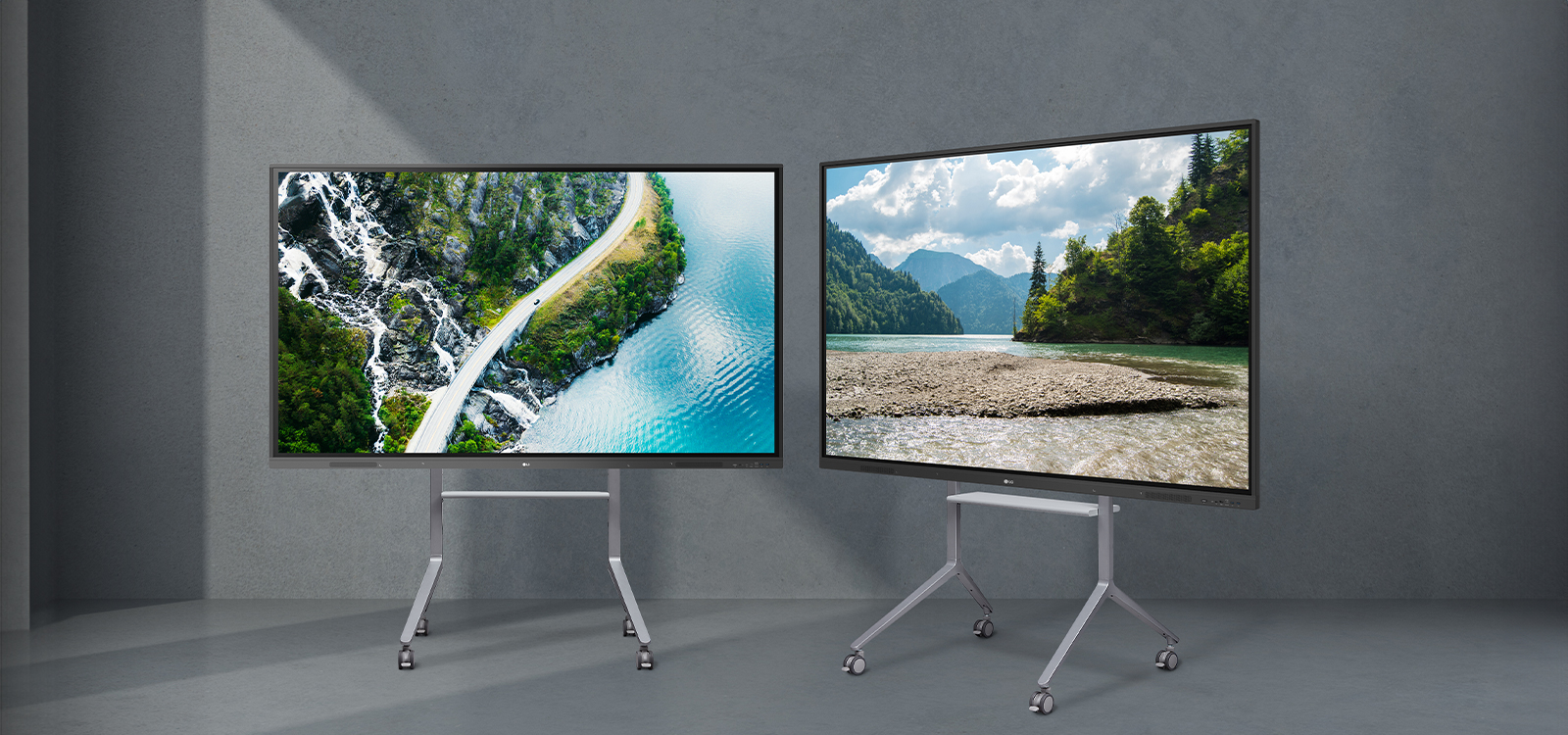
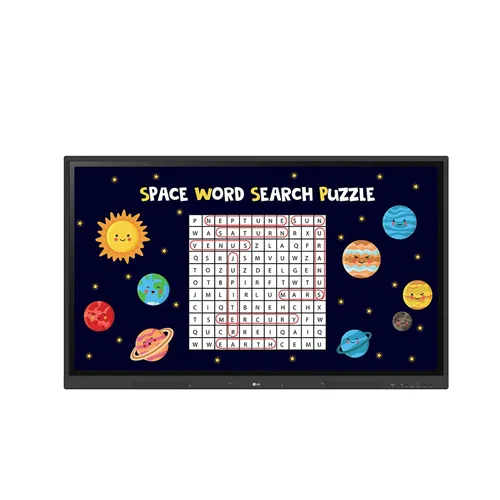
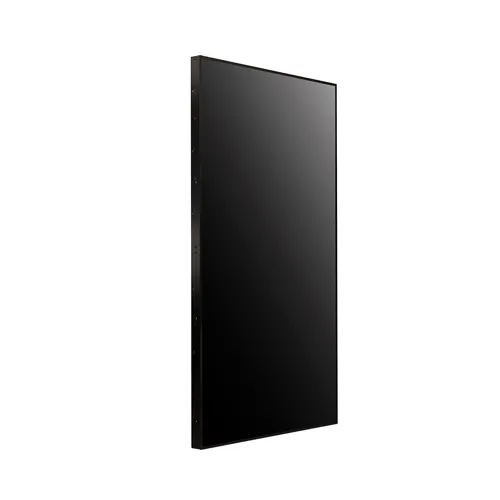
       interactive ยี่ห้อ LG รุ่น 86TR3DK
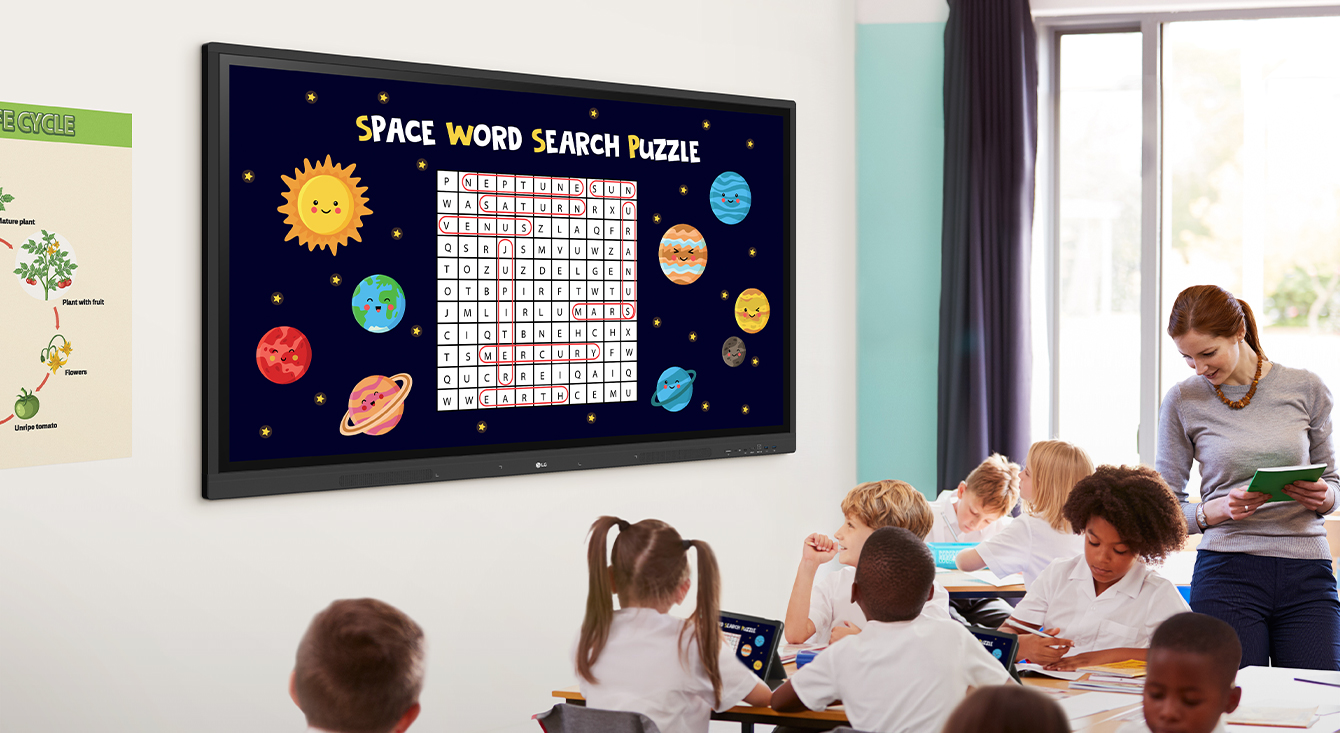
      Class is being conducted in the classroom, and the class material screen which is displayed on the classroom wall's LG CreateBoard is being shared on the students' tablets.

      A New Level of Classroom with
      LG CreateBoard

      * All images in this page are for illustrative purposes only.
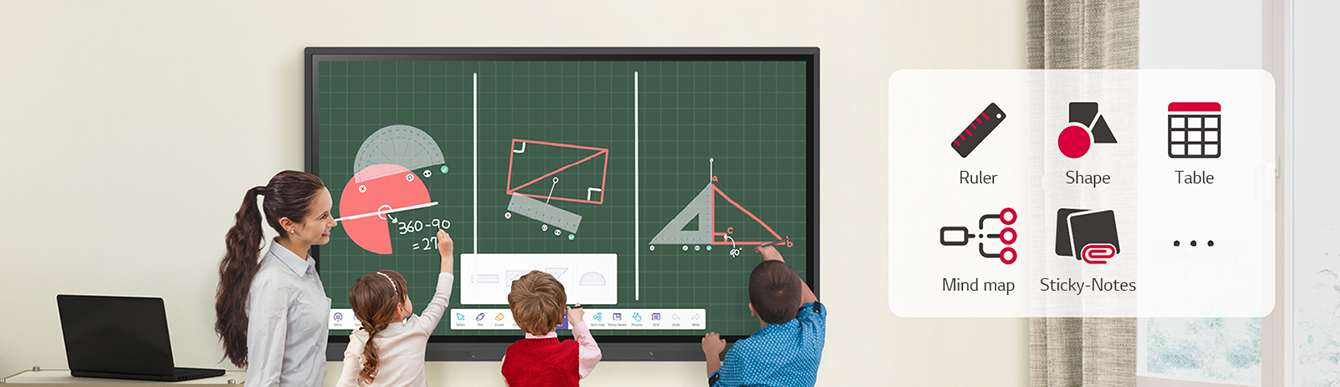
       Students are solving problems using various ruler models on the LG CreateBoard menu.

      Various Teaching Templates

      LG CreateBoard offers a variety of educational templates and teaching tools such as a ruler, table, and sticky notes, allowing for active engagement by students and enabling intuitive classes.
      Editing images and videos becomes easy with LG CreateBoard, and created resources can be easily shared with others through QR codes.
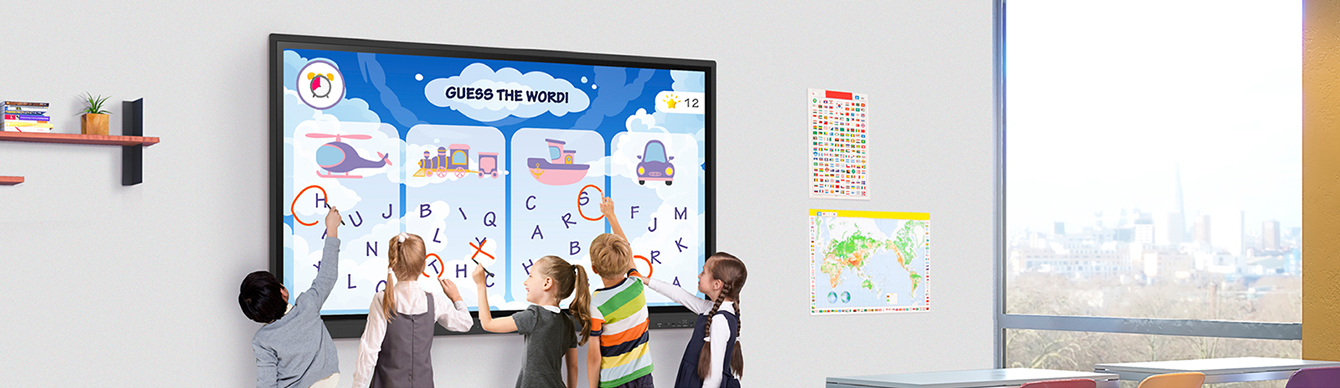
      In the classroom, several students are simultaneously writing on the LG CreateBoard screen.

      Multi-touch

      LG CreateBoard can simultaneously detect up to 40 points for multi-touch functionality.
      This creates a lifelike board touch experience, helping students easily become accustomed and truly engage in classes. This leads to the maximum concentration and organic engagement of students.

      * A max of 32 points are recognized in the Android environment,
      and a max of 40 points are detected in the Windows environment.
      * Up to 10 points can be recognized in the writing app.
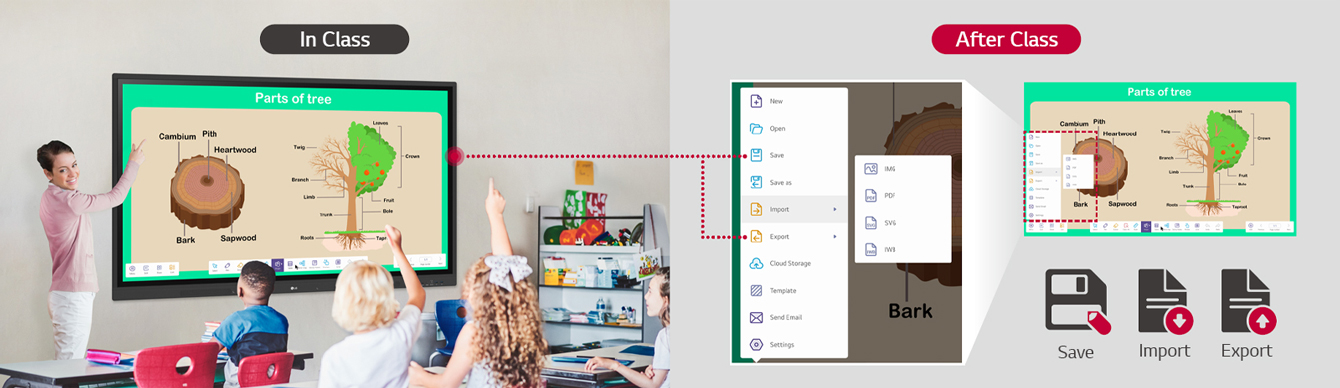
      Materials used to conduct class can be shared through the LG CreateBoard's import and export function after class.

      Easy to Save / Import / Export

      LG CreateBoard includes simple import and export functionality.
      Resources can be saved and imported directly to and from Google Drive or OneDrive, and files can be imported from a USB drive (Users can browse resources saved on USB storage).
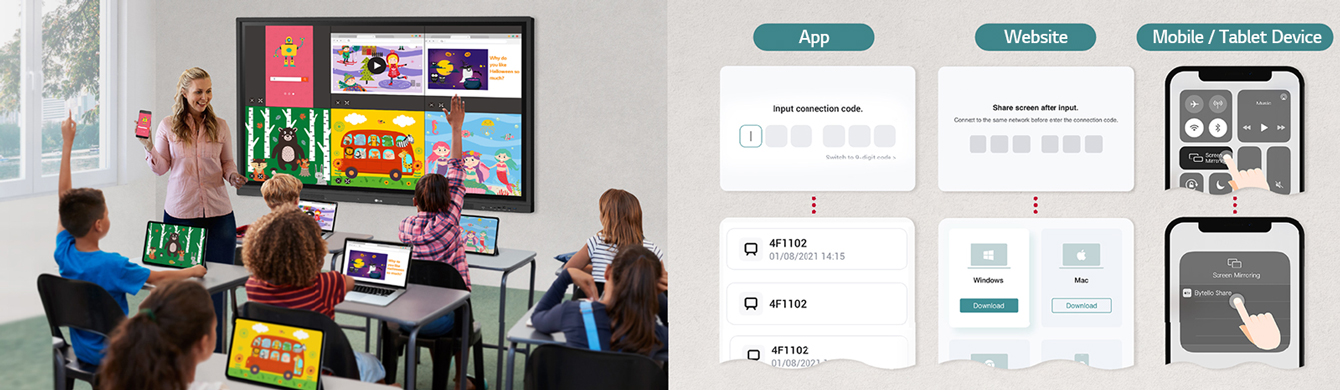
      The LG CreateBoard can easily share screens with multiple devices in real time via app and website.

      Wireless ScreenShare

      LG CreateBoard Share enables users to show up to 9 shared screens or a file on a screen in real-time when the LG CreateBoard Share app is installed on the device.
      Also, files from the host can be easily sent to any devices connected to the LG CreateBoard Share app, and several quick controls by the host are available.

      * LG CreateBoard also supports app-less sharing for PC (via website) and mobile devices within the same network.
      * For a more stable connection, we recommend the installation of a dedicated app (LG CreateBoard Share).
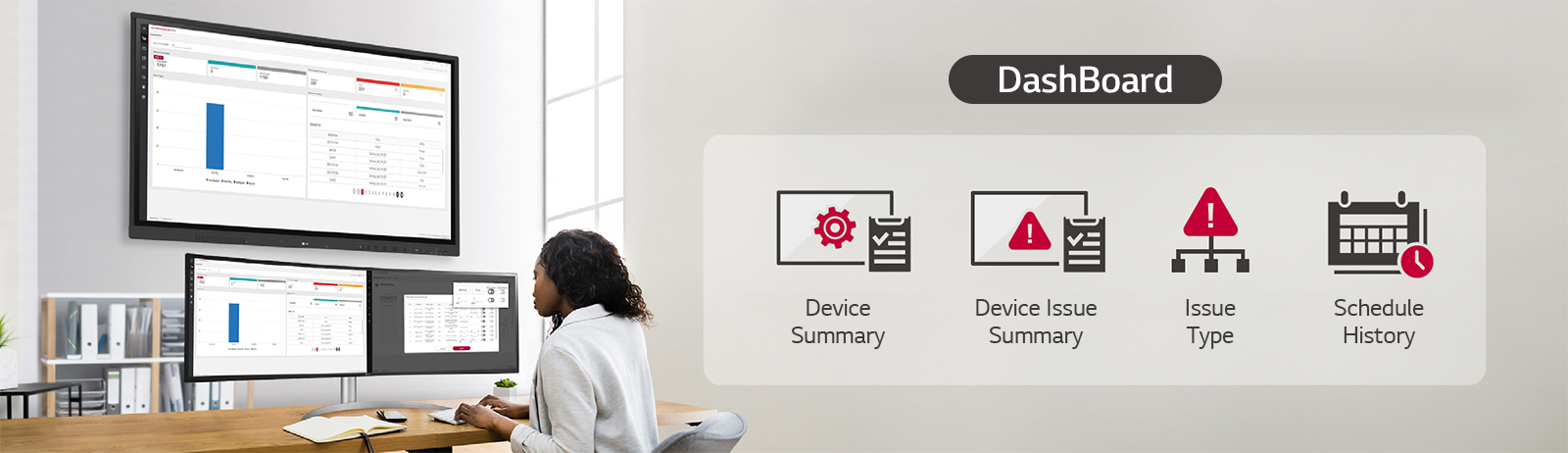
      An IT manager is managing/controlling the status of the LG CreateBoard through LG ConnectedCare DMS.

      LG ConnectedCare DMS

      LG ConnectedCare DMS is a cloud solution for remotely monitoring, controlling, and managing the status of LG CreateBoard installed in educational environments. This feature enables IT managers to operate and manage important resources on operating devices without physically visiting sites.

      * ‘LG ConnectedCare DMS’ needs to be purchased separately.
      * The availability of the ‘LG ConnectedCare DMS’ service differs by region,
      so please contact the LG sales representative in your region for more details.
      * LG ConnectedCare DMS supports the TR3DJ/TR3PJ/TR3DK Series as of now(plus more to come) under a cloud environment.

      Remote-control / Scheduling

      Frequently used controls such as the power on/off, scheduling, brightness, and screen lock functions can be applied using a remote control.
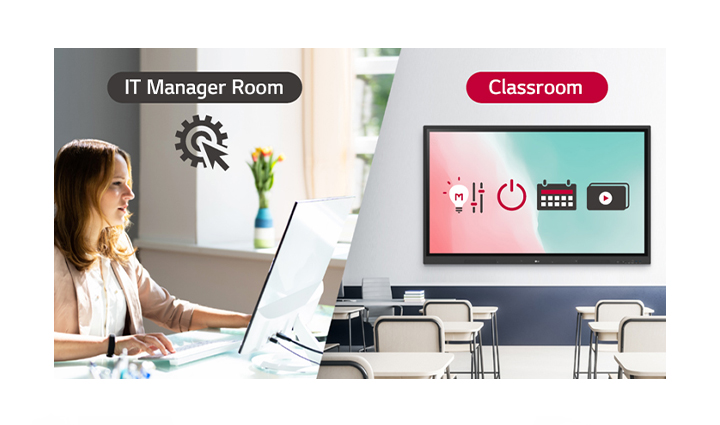
      The IT manager can remotely control devices in the classroom such as the power on/off, scheduling, brightness, and screen lock functions.

      Broadcasting / Alert Messaging

      Messages and a range of other content can be sent from the main system to individual classroom devices connected to LG ConnectedCare DMS.
      In case of urgent occasions such as a fire or a natural disaster, alert messages can be distributed manually across the system, which help teachers and students promptly take safety action.
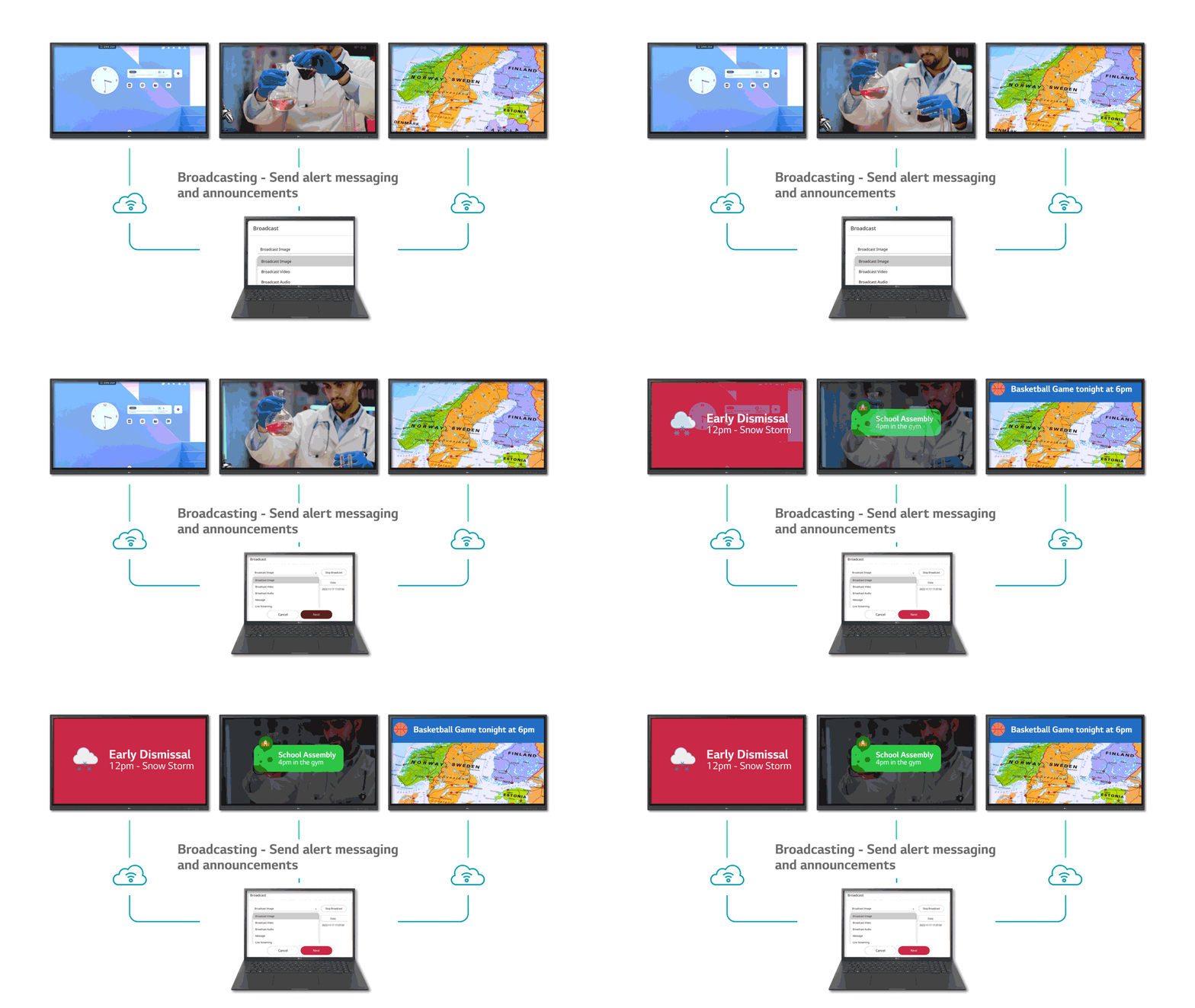
      Alert messages and announcements can be sent individually to the classroom devices from the main system.

      Threshold Settings

      Users can set thresholds in eight categories including display temperature, memory usage, or signal, and can receive warning or error notifications based on their threshold settings.
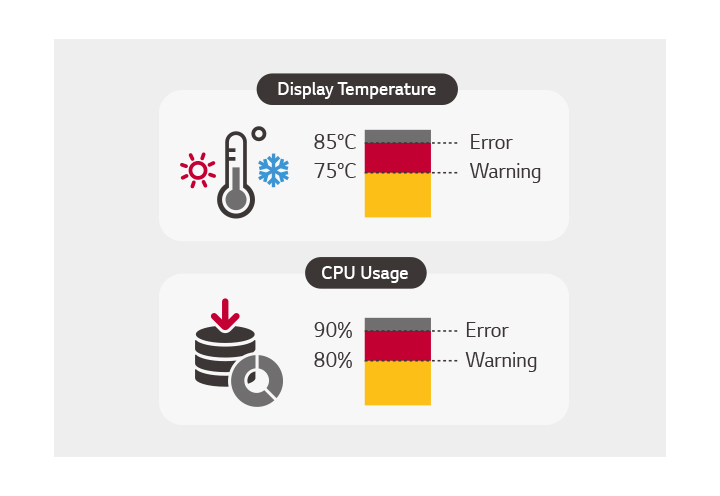
      The user can set a threshold for receiving an warning/error signal for eight categories: display temperature, CPU usage, etc.

      Monitoring &
      Fault Diagnosis

      An engineer can check the status in real-time and diagnose problems remotely. Also, the current status of issues can be categorized, allowing for easy viewing and quick responses.
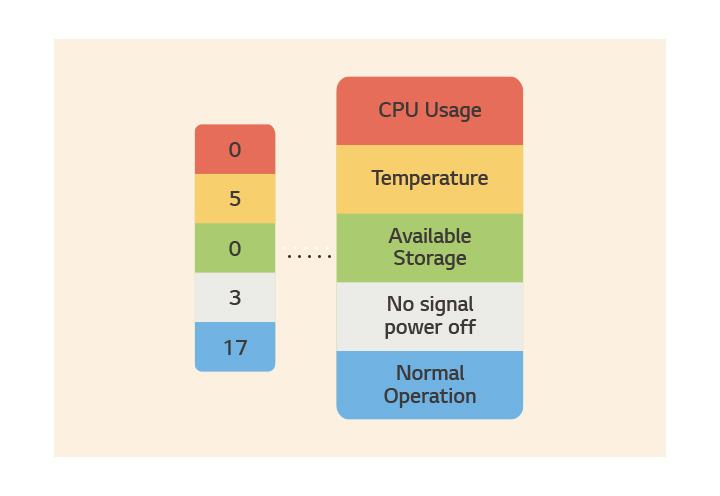
      The current status of the issue is easily indicated in categories, enabling for quick real-time responses.

      Issue Management

      Remote issue management can be carried out by the LG ConnectedCare DMS solution. This makes management safer and more efficient, facilitating the stable operation of the classroom.

      Issues can be managed remotely with an LG ConnectedCare DMS solution.
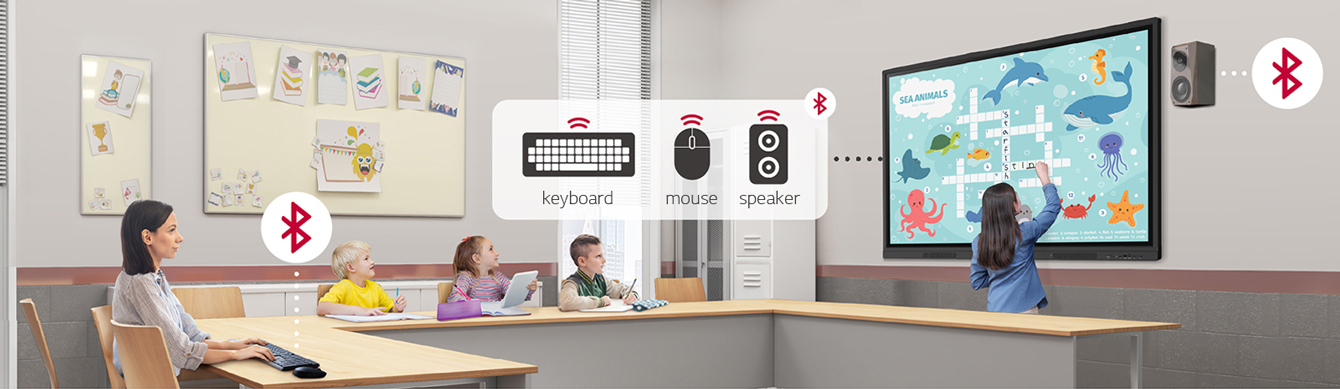
      The LG CreateBoard can wirelessly connect to devices such as keyboards, mice, and speakers via Bluetooth.

      Bluetooth Connectivity

      LG CreateBoard supports wireless Bluetooth connections to various devices such as a speaker, mouse, keyboard, etc. This is optimal for building a hybrid environment so that online and offline classes can proceed smoothly.
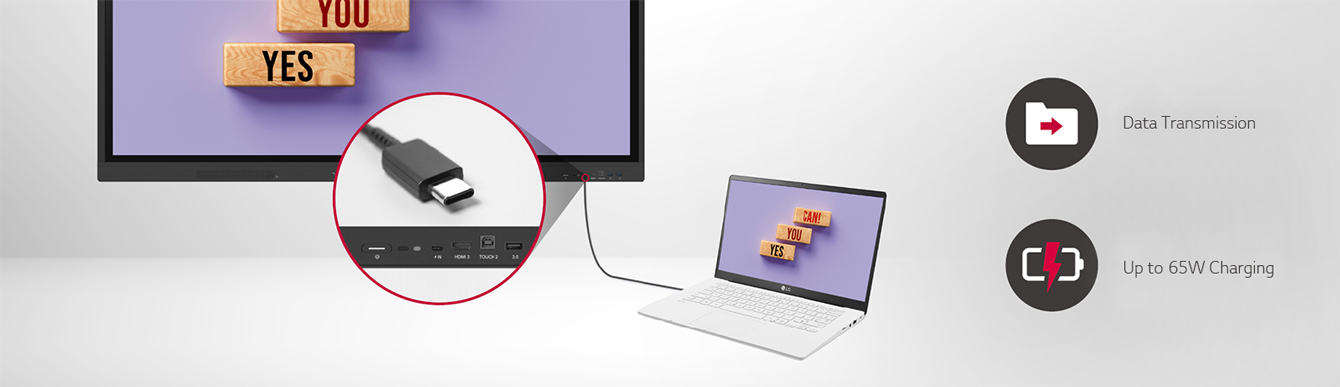
      The LG CreateBoard easily transmits data via USB-C connectivity and can charge up to 65W.

      C-type Connection

      USB-C connectivity simplifies connections
      which enables charging and sending data simultaneously over just one single cable.

      * USB Type-C cables are sold separately.


      QR Login for
      Easy Cloud Access

      The QR code on the home screen reduces preparation time for class by enabling personal device verification. Users can sign up for a variety of apps on the LG CreateBoard including Google Drive and OneDrive with just one QR verification without any additional login process. Once a lesson is finished, users can simply click the Logout button to disconnect, thus the risk of a personal information leak is reduced.
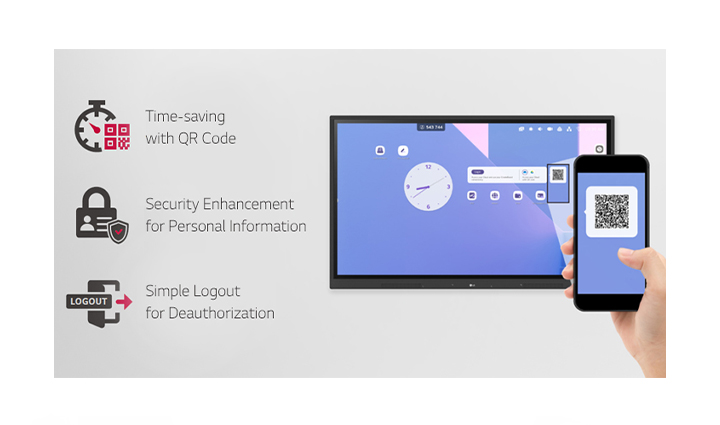
      Log in can be done easily with a QR code, saving class preparation time and enhancing personal information security by simply logging out.

      Advanced Eye-Care

      LG CreateBoard has introduced a flicker-free function. With the reduced flickering of the monitor’s backlight, users can use the device with more comfort even when using it for a long time.
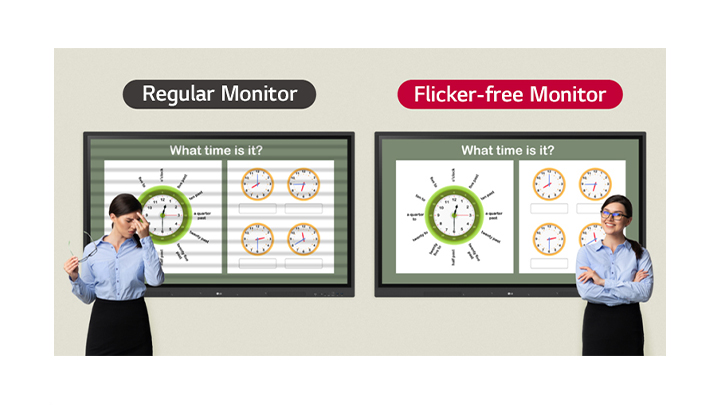
      Thanks to the LG CreateBoard's flicker-free function, even if you look at the screen for a long time, you can use the device with more comfort.

      Front Connectivity Design

      LG CreateBoard features front display ports and speakers which are ideal for both teachers and students, enabling content to be delivered easier with more immersive sound.
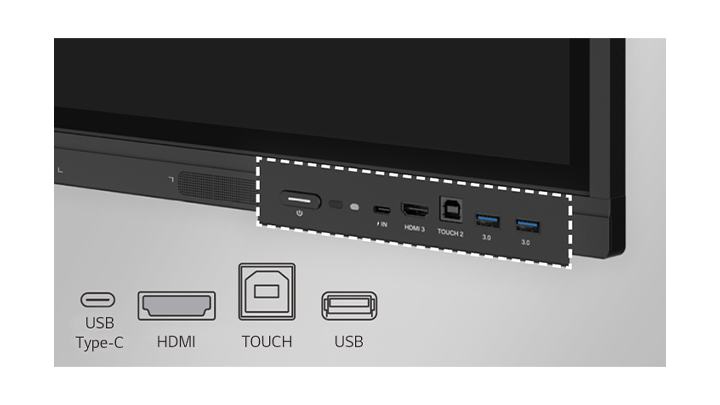
      The LG CreateBoard has ports on the front such as USB and HDMI.

      Built-in OPS Slot

      LG CreateBoard supports OPS slots, allowing you to easily and conveniently mount OPS desktop at the back of the LG CreateBoard without the hassle of connecting to an external desktop, offering you more expanded functions.

      * OPS : Open Pluggable Specification
      * OPS Player for LG CreateBoard is sold separately.
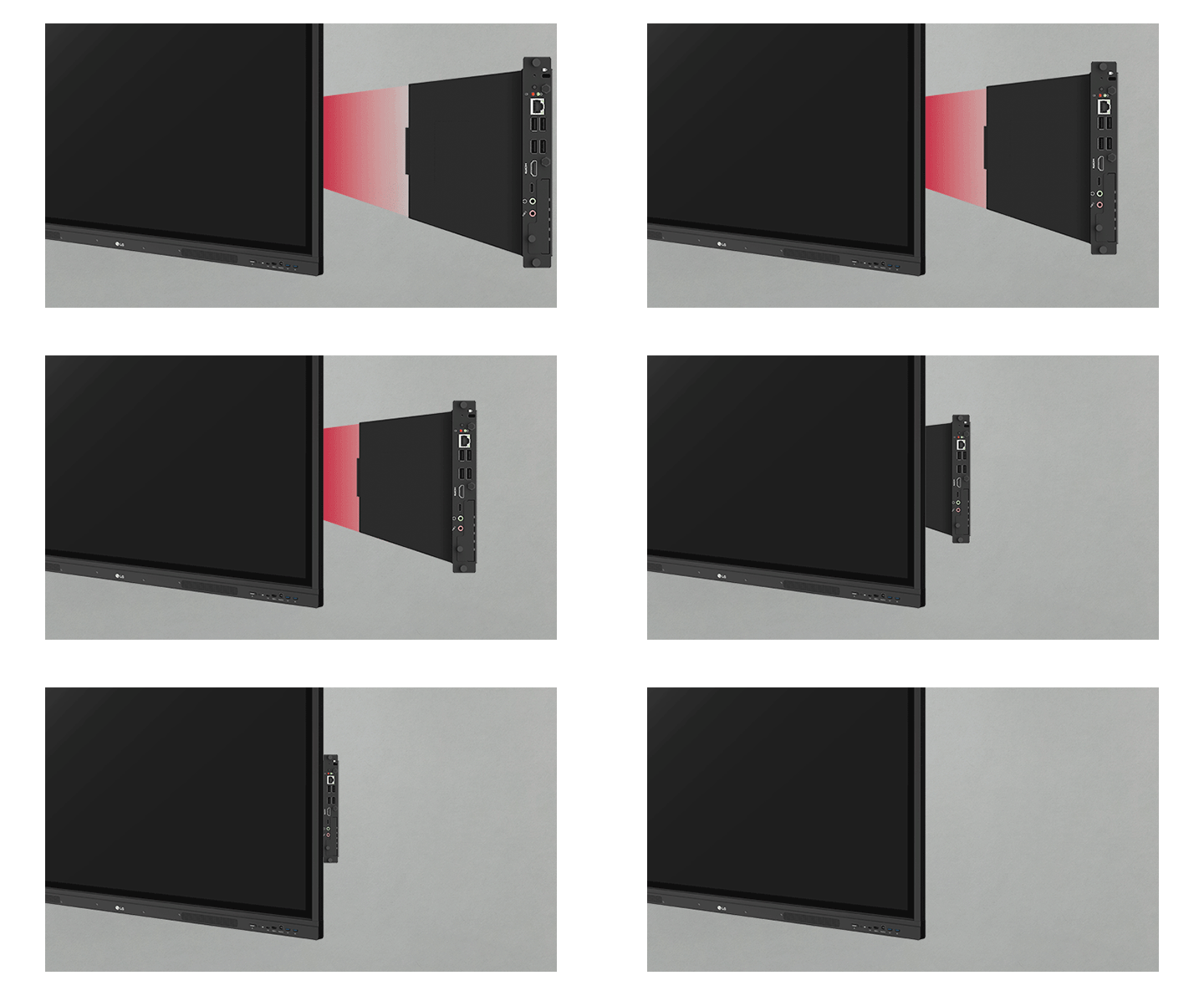
      The Built-in OPS slot makes mounting an OPS easy, providing users with more extended functionality without the use of external desktops.

      Smart Viewing

      The Smart Viewing feature of LG CreateBoard enables efficient teaching. Two or more materials can be displayed on the same screen simultaneously without having to repeat Alt-tab, making teaching more convenient and efficient. Two materials can be displayed side by side (multi window mode), or one material can be overlaid on the other one (picture-in-picture mode).

      * Multi window mode may not work for some apps.
      * PIP mode is available for the external source screen.
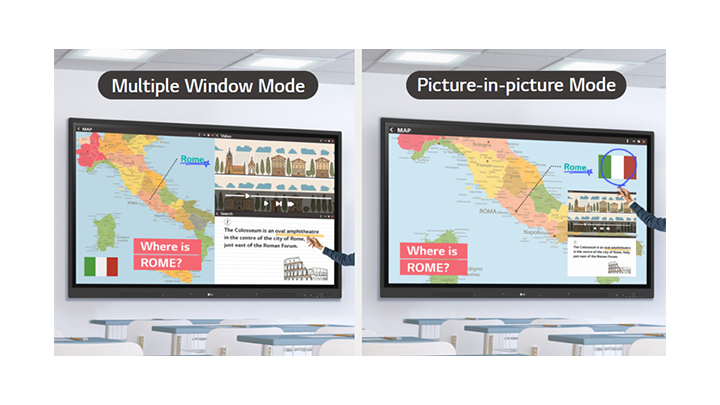
      The Smart Viewing function includes a multi-window mode that displays data side by side as well as a picture-in-picture mode that can override other data on top of the displayed data.

      Power Saving

      When a device doesn’t receive an external input signal for a specific amount of time set by the user, the device goes into standby mode. Devices can also be automatically turned on or off at specific time or day set by the user, which contributes to save energy.
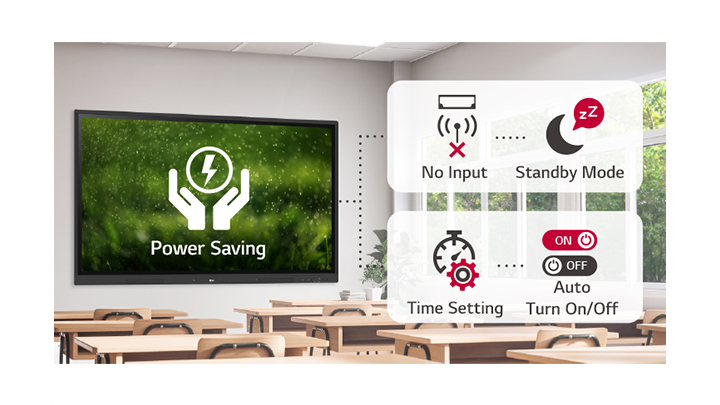
      If there is no input for a certain period of time, it changes to standby mode, and it can be turned on or off automatically by setting the time, thus saving power.

      Screen Lock

      Teachers can lock the screen using the Screen Lock function, and unlock it by entering a password. Users can set the Screen Lock in the Settings menu to protect the device from unidentified users.
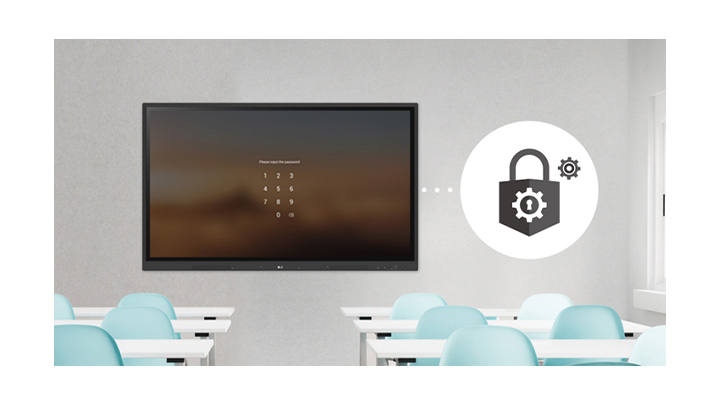
      The Screen Lock function allows you to lock and unlock the screen.

      Secure Mode

      LG CreateBoard supports Secure Mode that disables the LG CreateBoard Share function to prevent unauthorized content from being shown on various devices.
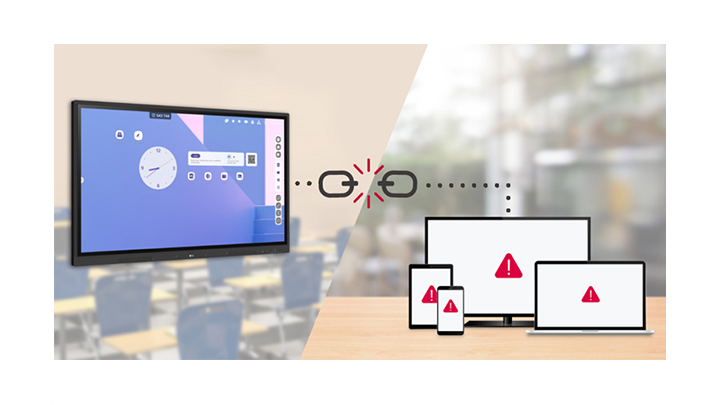
      Secure Mode for blocking unauthorized contents.

      USB Lock Mode

      USB Lock Mode is a security measure that helps prevent data from being copied to unauthorized devices, which is essential when being used in spaces where security is critical.
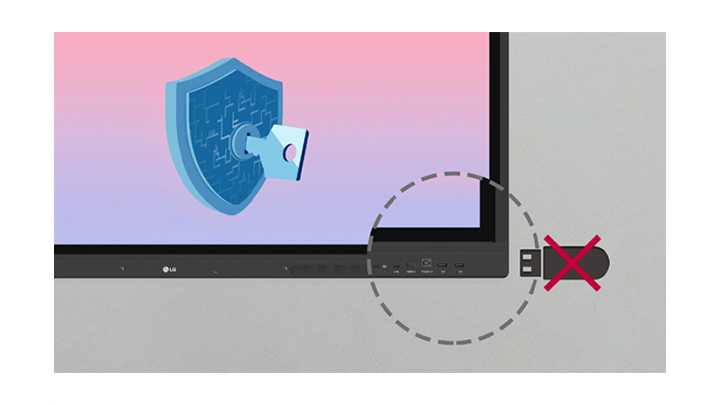
      The LG CreateBoard can be set to disable USBs connected to displays for security purposes.

      Auto-remove Files

      Users can set LG CreateBoard to delete files regularly for enhanced security.
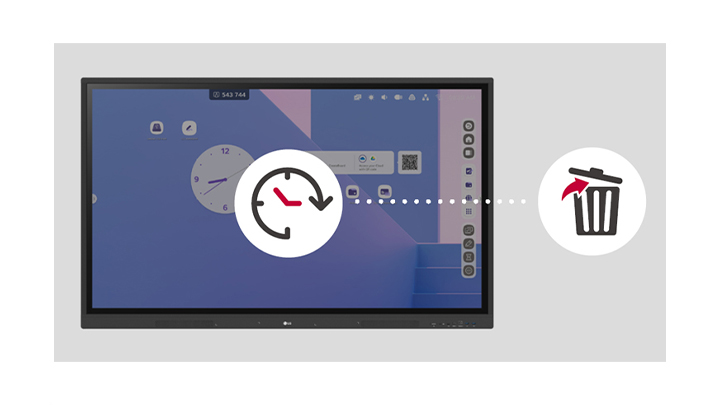
      The LG CreateBoard can be set to automatically delete files after a specific period of time.
      Easy Transportation with LG Universal Stand

      Easy Transportation with
      LG Universal Stand

      The LG Createboard can be used anywhere indoors where it can be easily wheeled around. From classrooms to in-between spaces, it plays various roles according to each need such as lectures, group discussions, school announcements, and more.

      * The stand is sold separately. (ST-860F)
      ** The product needs to be plugged into the appropriate power source to operate.
      *** The image is created based on the 86” model.
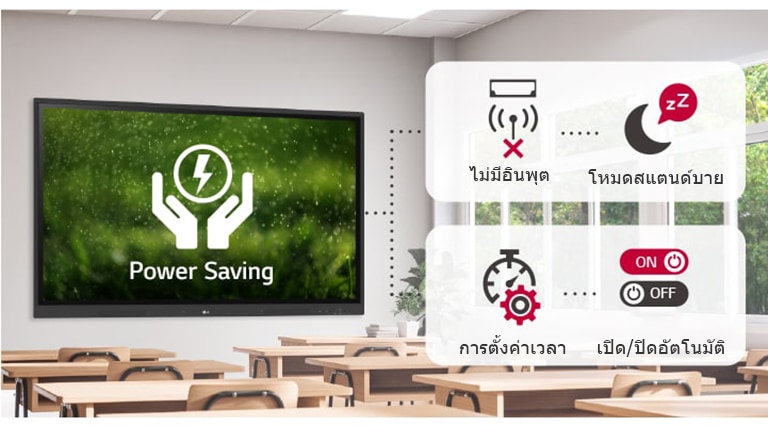
      หากไม่มีอินพุตในช่วงเวลาหนึ่ง ก็จะเปลี่ยนเป็นโหมดสแตนด์บาย และสามารถเปิดหรือปิดเครื่องโดยอัตโนมัติด้วยการตั้งเวลา ซึ่งจะช่วยประหยัดพลังงาน
      Reviews (0)

      Reviews

      There are no reviews yet.

      Be the first to review “86TR3DK” Cancel reply

      Your email address will not be published. Required fields are marked *

      Shipping & Delivery

      MAECENAS IACULIS

      Vestibulum curae torquent diam diam commodo parturient penatibus nunc dui adipiscing convallis bulum parturient suspendisse parturient a.Parturient in parturient scelerisque nibh lectus quam a natoque adipiscing a vestibulum hendrerit et pharetra fames nunc natoque dui.

      ADIPISCING CONVALLIS BULUM

      • Vestibulum penatibus nunc dui adipiscing convallis bulum parturient suspendisse.
      • Abitur parturient praesent lectus quam a natoque adipiscing a vestibulum hendre.
      • Diam parturient dictumst parturient scelerisque nibh lectus.

      Scelerisque adipiscing bibendum sem vestibulum et in a a a purus lectus faucibus lobortis tincidunt purus lectus nisl class eros.Condimentum a et ullamcorper dictumst mus et tristique elementum nam inceptos hac parturient scelerisque vestibulum amet elit ut volutpat.

      Related products

      IFP7550
      Compare
      Quick view
      Add to wishlist

      IFP7550

      Interactive, ViewSonic

      Out of stock

      Read more
      IL-1555 PRO
      Compare
      Quick view
      Add to wishlist

      Interactive Multimedia Display IL-1555 PRO

      Interactive, Vertex

      Out of stock

      Read more
      IL-1655 PRO
      Compare
      Quick view
      Add to wishlist

      Interactive Multimedia Display IL-1655 PRO

      Interactive, Vertex

      In stock

      Read more
      IL-1865 PRO
      Compare
      Quick view
      Add to wishlist

      Interactive Multimedia Display IL-1865 PRO

      Interactive, Vertex

      In stock

      Read more
      razr_i-board-i56
      Compare
      Quick view
      Add to wishlist

      Razr i-Board-i56

      Interactive, Razr

      Out of stock

      Read more
      Razr i-Board-i88Q
      Compare
      Quick view
      Add to wishlist

      Razr i-Board-i88Q

      Interactive, Razr

      Out of stock

      Read more
      IB-120PM
      Compare
      Quick view
      Add to wishlist

      กระดานอิเลคทรอนิคส์ (Touchboard) IB-120PM

      Interactive, Vertex

      Out of stock

      Read more
      RP654K
      Compare
      Quick view
      Add to wishlist

      BenQ RP654K

      Interactive, BENQ

      Out of stock

      Read more

        Free Shipping.

        No one rejects, dislikes.

        24/7 Support.

        It has survived not only.

        Online Payment.

        All the Lorem Ipsum on.

        Fast Delivery.

        Many desktop page now.

        • PROJECTOR โปรเจคเตอร์
          • Epson
          • Panasonic
          • Acer
          • Benq
          • Optoma
          • NEC
        • VISUALIZER
          • Epson
          • Vertex
          • Lumens
          • Gygar
          • Benq
          • Razr
        • SCREEN
          • Vertex
          • Screenboy
        • INTERACTIVE BOARD
          • Panasonic
          • Maxhub
        ติดต่อเรา :
        สนใจผลิตภัณฑ์ โปรเจคเตอร์ Projector Visualizer interactive board และบริการติดตั้งอีกทั้งบริการหลังขาย
        โทร: 095-4466266

        อีเมล:
         sale@siamprojector.com

        รับบัตรเครดิตทุกธนาคาร :
        payment
        บริการขนส่งเรา :
        express
        Our Social Links:

        Useful links
        • Privacy Policy
        • Returns
        • Terms & Conditions
        • Contact Us
        • Latest News
        • Our Sitemap
        SIAMPROJECTOR.COM 2019 CREATED BY AMAS
        Close
        • หน้าแรก
        • สินค้า Projector
        • สินค้า Interactive
        • สินค้า Screen
        • สินค้า จอ LED
        • ขอใบเสนอราคา
        • ติดต่อเรา
        Shopping cart
        Close
        Facebook X Instagram YouTube Pinterest
        86TR3DK

        86TR3DK

        Compare
        Add to wishlist
        จัดการ การอนุญาตใช้งาน Cookies

        เว็บไซต์ siamprojector.com มีการใช้งานเทคโนโลยีคุกกี้ หรือ เทคโนโลยีอื่นที่มีลักษณะใกล้เคียงกันกับคุกกี้ บนเว็บไซต์ของเรา โปรดศึกษา นโยบายการใช้คุกกี้ และ นโยบายความเป็นส่วนตัวของข้อมูล ก่อนใช้บริการเว็บไซต์ ได้ที่ลิงค์ด้านล่าง

        คุกกี้ที่จำเป็น Always active
        คุกกี้ที่จำเป็นต่อการใช้งานเว็บไซต์ หากขาดคุกกี้ประเภทนี้ เว็บไซต์จะไม่สามารถใช้งานได้อย่างปกติ
        Preferences
        The technical storage or access is necessary for the legitimate purpose of storing preferences that are not requested by the subscriber or user.
        คุกกี้เก็บสถิติ
        คุกกี้ที่ใช้เก็บสถิติการเข้าใช้บริการเว็บไซต์ The technical storage or access that is used exclusively for anonymous statistical purposes. Without a subpoena, voluntary compliance on the part of your Internet Service Provider, or additional records from a third party, information stored or retrieved for this purpose alone cannot usually be used to identify you.
        คุกกี้การตลาด
        คุกกี้ที่ใช้ในการตลาดออนไลน์ ใช้เพื่อนำเสนอข้อมูลทางการตลาดให้เหมาะสมเฉพาะบุคคลมากยิ่งขึ้น
        Manage options Manage services Manage {vendor_count} vendors Read more about these purposes
        ดูรายละเอียด
        {title} {title} {title}